
Description: This app will:
- Give you a choice to reboot and go into standby or hibernation.
- It will then reboot your computer.
- After the reboot, a small dialog with a countdown timer will begin.
- After the timer is up, your computer will be put into the mode you chose.
Note: For hibernation to work, your computer must have “Enable hibernation” already checked under your Control Panel, Power Options, Hibernate tab.
Version: 1.0.5 (2010-12-29) 💾 DOWNLOAD Boot Snooze v1.0.5
Supported OS: Windows XP. May or may not work on Vista or later.
History: Changelog
Discussion forum: Here
PAD file: Here
Screenshots:
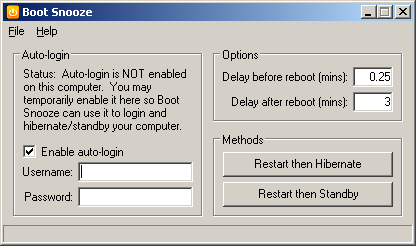
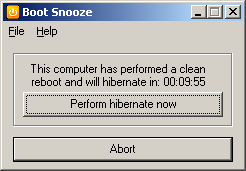
- Version 1.0.5
- Downloads 1021
- File Size
- File Count 1
- Create Date 2010-12-29
- Last update 2010-12-29 15:47:50
- Last Updated 2018-01-16